Katana shows its true value
through MCP.
Connect Katana to Claude, ChatGPT, or another AI assistant, and it receives Katana's financial data and annual-report judgments, so you can go from picking stocks to analysis in conversation. The feature we recommend most.
01 / Flow
End to end, from picking stocks to analysis.
- Describe the companiesTell the AI the companies or hypothesis you have in mind, in your own words. Where it is unclear, the AI asks.
- Narrow the whole marketThe description becomes financial conditions and words in annual reports, and about 3,800 companies are narrowed to the matching ones. Katana's AI then judges, company by company, whether each fits from the text of its annual report.
- Analyze what remainsFrom 10 years of financial statements, annual report text, and the latest results, the AI checks whether each company meets the description or hypothesis.
With MCP, your analysis goes deeper.
02 / Tools
Katana features your AI can use.
- Metrics and formulasUse 1,000+ metrics and your own metrics built with formulas.
- ScreeningNarrow about 3,800 companies by financial conditions and words in annual reports.
- Preset screensUse screening conditions based on the methods of renowned investors such as Graham, Lynch, and Kiyohara.
- Financial historyGet up to 10 years of one company's financials. Through MCP, the AI also checks the latest results and outside information.
- Read annual reportsRead the main sections of an annual report: business, environment and issues, business risks, and more.
- Qualitative judgmentJudge from annual report text whether a company fits, and show the passage behind it.
Katana lets you define your own metrics and formulas. With AI, that strength is used to the full.
03 / Connect
How to connect
Server URL (works with assistants other than Claude and ChatGPT too)
https://mcp.katanascreener.com/mcpFrom the Claude directory
- Open Katana's page in the Claude directory
- Click Connect to Claude
- Katana's sign-in page opens; sign in with your Katana account and click Allow
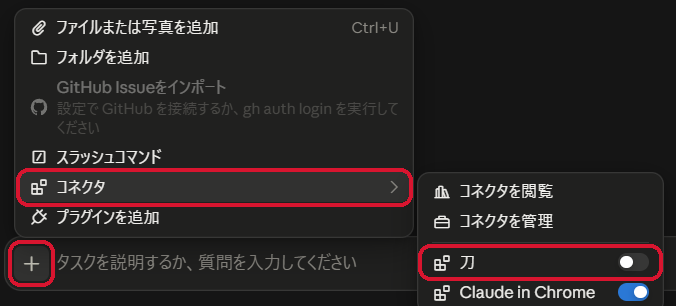
- Turn on the Katana connector from "+" in a conversation
- Type what you are looking for in a company, in your own words

If that does not work for you, you can also connect this way.
By entering the URL
- Open Claude
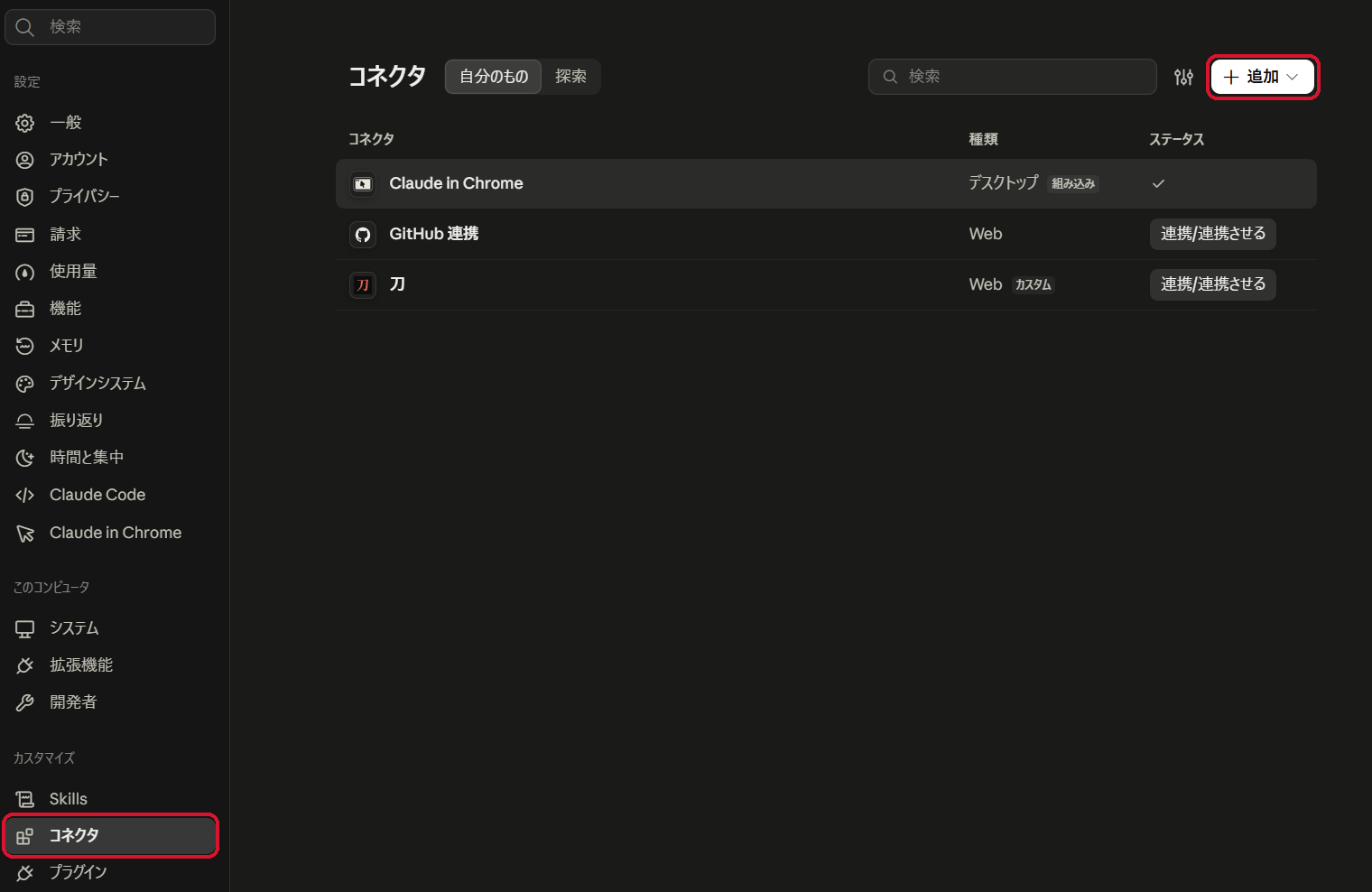
- Settings → Connectors → Add → Add custom connector
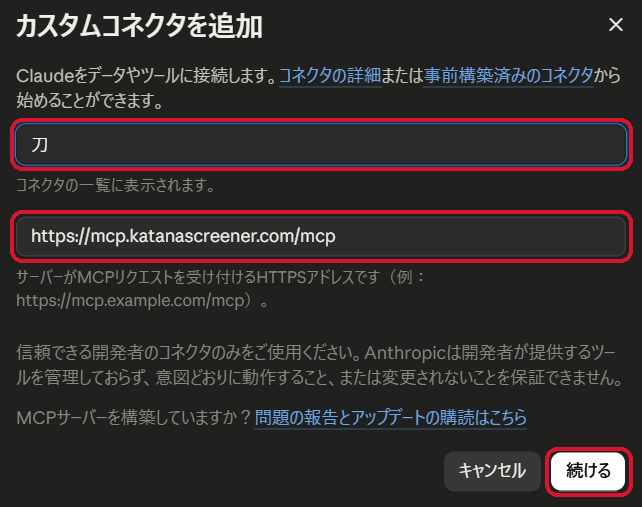
- Enter "Katana" as the name and the URL above, then Continue
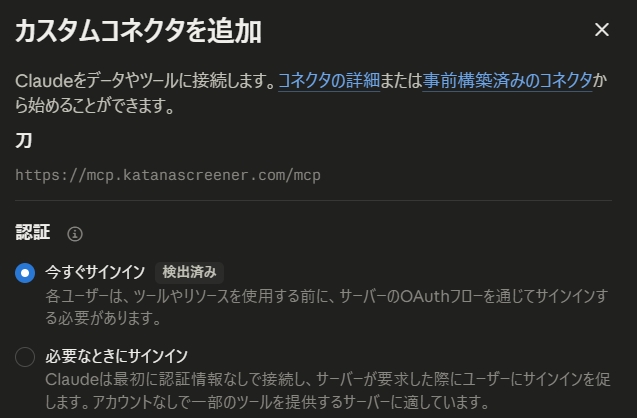
- Leave the authentication settings as they are and continue
- Click Connect. If Claude asks you to confirm the connection, continue

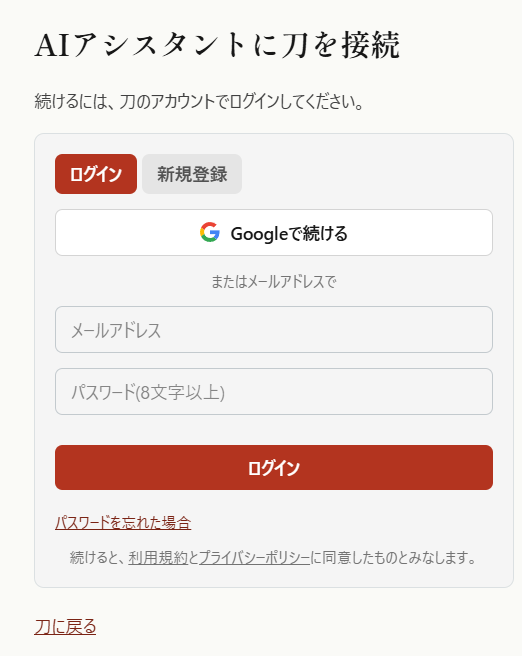
- Katana's sign-in page opens; sign in with your Katana account and click Allow
- Turn on the Katana connector from "+" in a conversation
- Type what you are looking for in a company, in your own words
In Claude Code (CLI), add it with the command below, then choose Katana in /mcp to sign in.
claude mcp add --transport http katana https://mcp.katanascreener.com/mcp
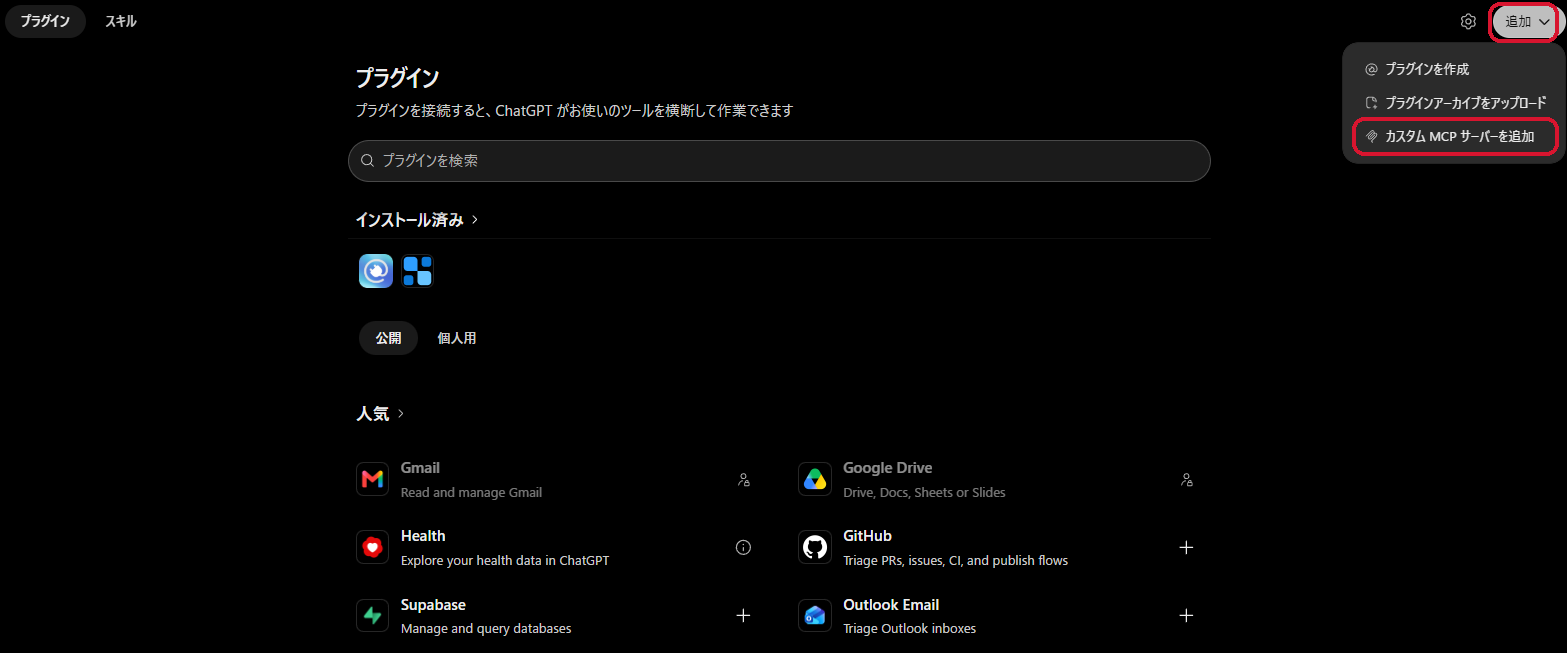
- Open the Plugins page in ChatGPT
- Add (top right) → Add custom MCP server
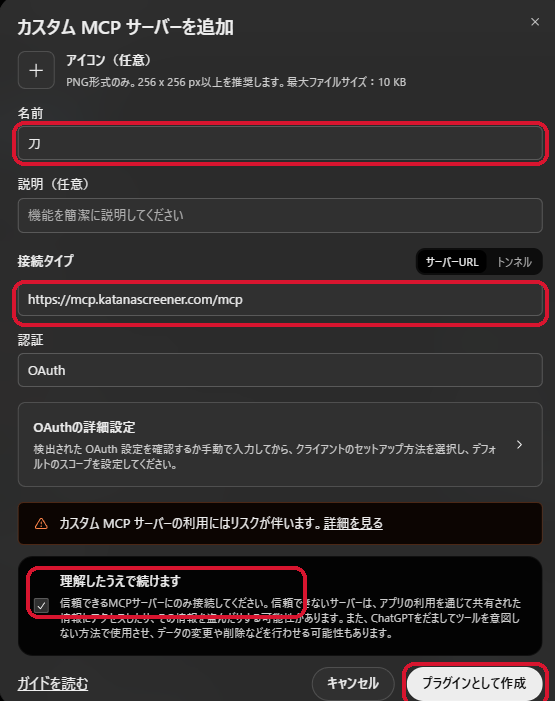
- Enter "Katana" as the name and the URL above, check "I understand and want to continue", then click Create as a plugin
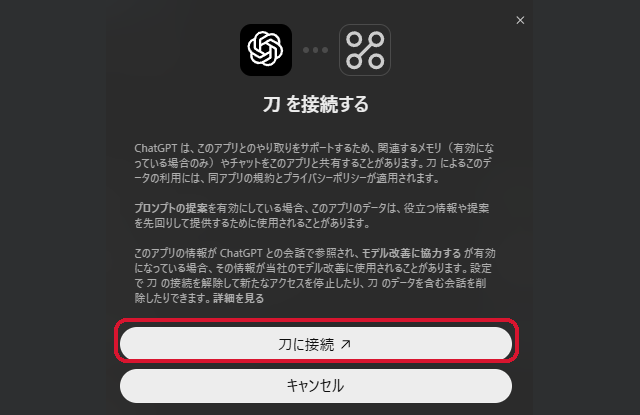
- Click the connect button. Katana's sign-in page opens; sign in with your Katana account and click Allow
- In a new conversation, choose Katana from "+" (or type @)
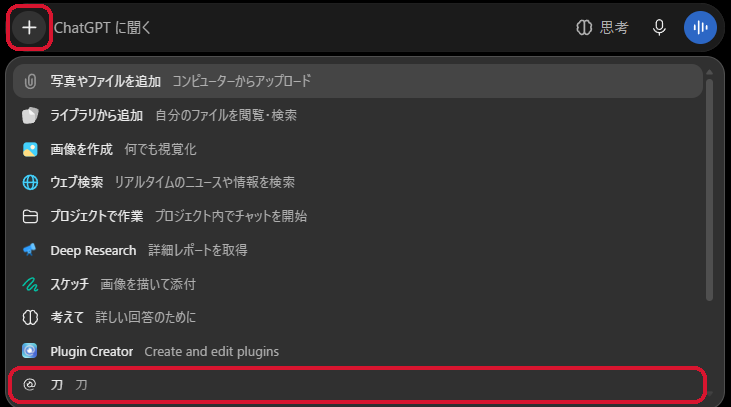
- Type what you are looking for in a company, in your own words

04 / Requests
Ask the way you always ask your AI.
- “Using Katana, find companies across Japan growing on data center cooling demand”
- “Find companies quietly running a semiconductor business with Katana, and judge them against their annual reports”
- “Read the annual reports and latest results of the companies that remained after the judgment, and check they fit the hypothesis”
- “Using Katana, find companies whose profit would rise most from interest income as rates go up”
Hand your picture of a company or your investment thesis straight to your AI.
Example: rechecking an article's companies with the latest information→
05 / Data
Analyze it together with the latest data.
- The past comes from annual securities reports on EDINET (Financial Services Agency of Japan), updated by Katana every morning.
- The latest results, company announcements, and news are fetched by the AI and analyzed together.
Before you use it
- Sign-in with a Katana account (free registration) is required.
- Tool calls are limited per day (Japan time): 50 for registered users, 500 on a paid plan. The count resets at midnight Japan time.
- Qualitative judgment uses the same AI budget as Katana's Search with AI. Other tools do not use it.